To make a DM Win withdrawal, log in, open the Withdraw page from the Account tab, add the account you use for withdrawals the first time, fill in the request and confirm. Most requests are processed quickly, and you can follow each one in your withdrawal history. If a withdrawal stays pending, the usual causes are a name mismatch, incorrect account details or a processing delay, and each has a simple fix.
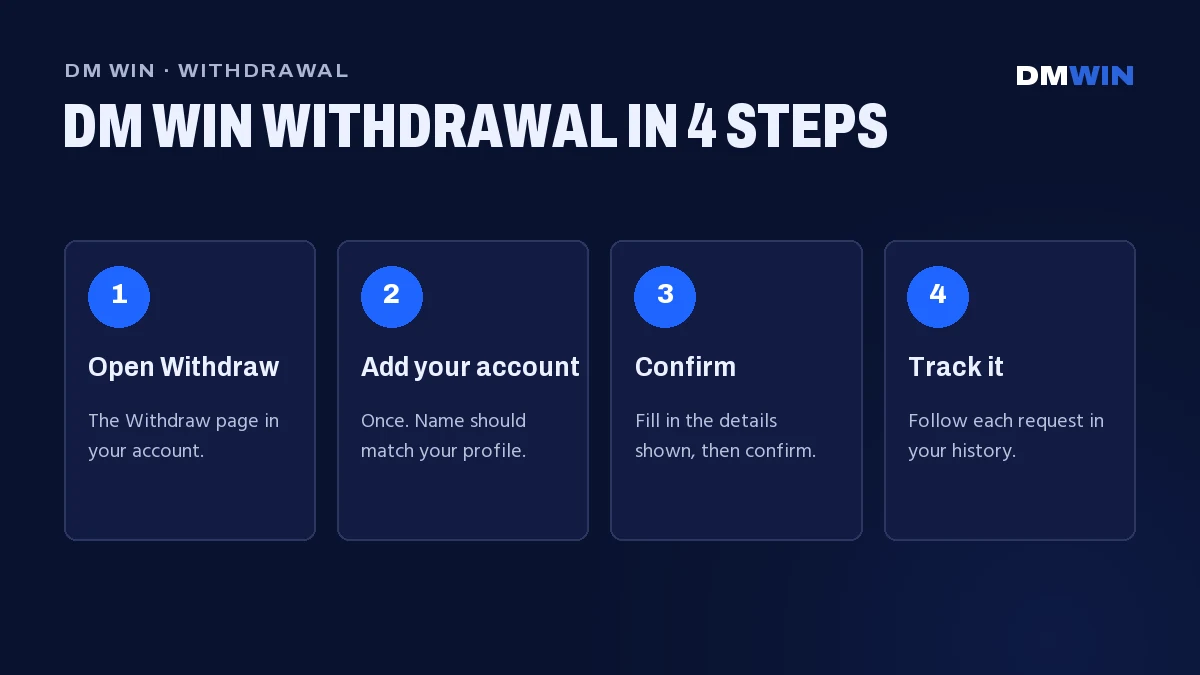
How to Make a DM Win Withdrawal Step by Step
Sign in first through the DM Win login page with your phone number or email. Then:
- Tap Account in the bottom bar.
- Open the Withdraw page in your account.
- Choose the account you added for withdrawals, or one of the other methods shown on the page.
- Fill in the details the withdrawal page asks for.
- Check the details and tap to confirm.
- Open your withdrawal history to follow the request.
Once you submit your DM Win withdrawal request, you can follow its status in your withdrawal history until it’s completed.
Adding Your Withdrawal Account the First Time
Before your first DM Win withdrawal you need to add the account you’ll use for withdrawals. You only do this once, so take a minute to get it right.
- On the withdrawal page, tap the option to add an account.
- Enter the account holder’s name exactly as it appears on that account.
- Enter the account number. Type it carefully and check it twice.
- Add any other details the form asks for, check each one, and save.
The name must match. The name on the account you add should match the name on your DM Win profile. Withdrawals to an account in someone else’s name are one of the most common reasons for a rejection.
If you entered a wrong account number or other detail, don’t submit a withdrawal to it. Contact customer care and ask how to update your account details first.
DM Win Withdrawal Time
Most DM Win withdrawals are processed quickly, and you can follow each one in your withdrawal history. After we complete the request, it can still take a little while to show in the account you added, especially at busy times.
Things that can add time:
- Your first withdrawal. Any mistake in newly added account details will hold up the request, so check them carefully.
- Weekends and public holidays. Some account providers process requests more slowly on non-working days.
- Server issues on the receiving side. If your account provider’s systems are down, the request waits until they’re back.
Why a DM Win Withdrawal Is Pending or Rejected
If your DM Win withdrawal is pending for longer than usual or has been rejected, one of these is usually the reason:
| Reason | What it means | What to do |
|---|---|---|
| Account details mismatch | The name on the account you added doesn’t match your profile, or the account number or another detail is wrong. | Contact customer care to correct your account details. |
| Processing delay | The request is complete on our side but hasn’t reached the account you added yet. | Wait a little and check that account. Contact customer care if it’s well past the usual time. |
A rejected request shows its status in your withdrawal history. Fix the reason, then submit a new withdrawal.
Avoid this mistake
Don’t keep cancelling and resubmitting the same DM Win withdrawal. Each new request goes back to the end of the queue. Submit once, check the status, and ask support if something looks wrong.
How to Check Your Withdrawal Status
Every request is listed in your withdrawal history in the Account tab. Each entry shows the date, time and status. The exact wording may differ, but the status will mean one of the following:
- Pending or processing: the request is in the queue or being processed.
- Completed or successful: the withdrawal has been sent to the account you added.
- Rejected or failed: the request couldn’t be completed. Check the reason shown, if any.
If the history says completed but you can’t see it in your account yet, check that account first, then contact support with the date and time of the request.
When and How to Contact Customer Care
Contact customer care if your withdrawal is pending well past the usual time, if it was rejected and you don’t know why, or if you need to change the account you added for withdrawals. Open 24/7 Customer service from Basic Tools on the Home screen, or from the Account tab.
Have these ready so the team can help quickly:
- Your registered phone number or email.
- The date and time of the withdrawal.
- A screenshot of the entry in your withdrawal history.
- The last four digits of the account you added for withdrawals.
Only contact support from inside your account on the official DM Win website. Staff will never ask for your password, PIN or OTP, and nobody can “speed up” a withdrawal for you.
DM Win is for players aged 18 and over.
Can’t log in to check a withdrawal? Tap Forgot password? on the login screen and contact customer service.
DM Win Withdrawal FAQ
How long does a DM Win withdrawal take?
Most withdrawals are processed quickly, and you can follow each one in your withdrawal history. Weekends, holidays and first-time checks can add time.
Why is my DM Win withdrawal pending?
Common reasons are a name mismatch on the account you added, an incorrect account detail or a processing delay. Check your withdrawal history, then contact customer care if it’s past the usual time.
Can I withdraw to someone else’s account?
No. The account holder’s name should match your DM Win profile, or the withdrawal may be rejected.
My withdrawal was rejected. What happens now?
A rejected withdrawal isn’t completed, and its status is shown in your withdrawal history. Fix the reason, submit a new request, and contact customer care if anything is unclear.
Can I change my withdrawal account later?
Contact customer care from inside your account and they’ll explain how to update the account you added for withdrawals.
Can I withdraw from the DM Win app?
Yes. The home-screen app uses the same account, so withdrawals work exactly as they do in the browser.
Do I need a code or password to withdraw?
You never need an outside code. The withdrawal page shows any details it asks for. A DM Win withdrawal is made only from your own account.