A DM Win invite code is a short personal code that links a new player to the person who invited them. You enter it in the optional invite code box when you register, so have it ready before you tap Register. You can also register without a code, and once you have an account you get your own code in the Promotion tab to share with friends.
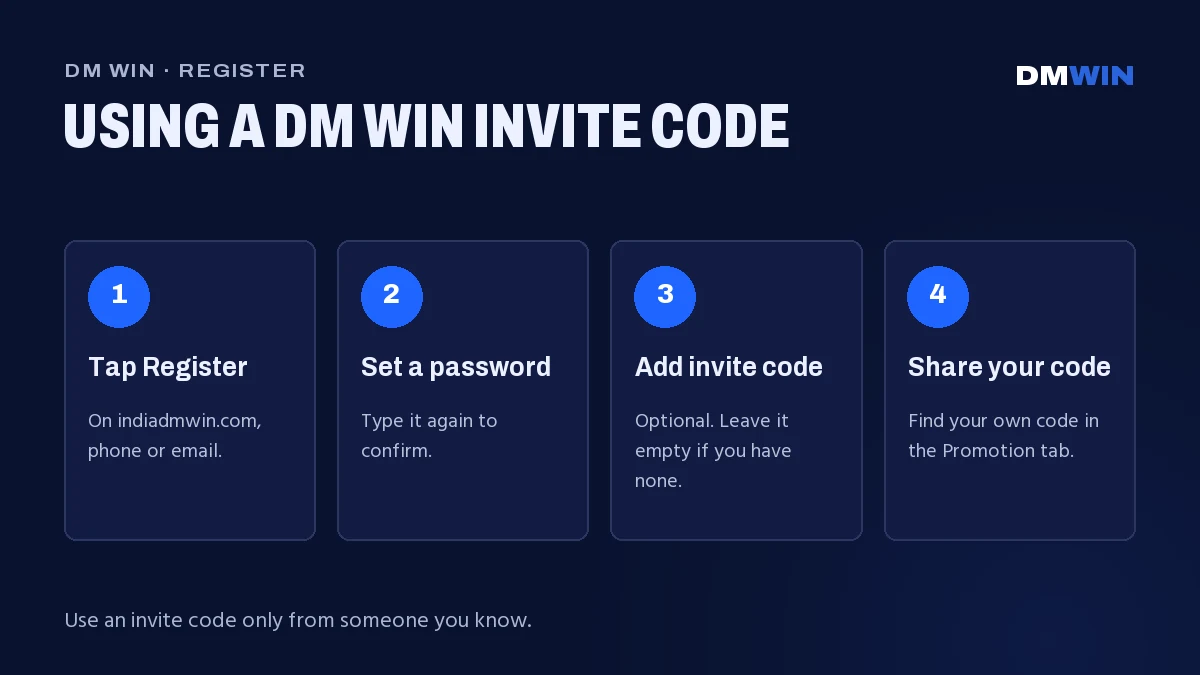
This page explains how the DM Win invite code works, walks you through registration step by step and shows you how to use your own code to build a team.
What Is a DM Win Invite Code?
Every DM Win account has its own invite code. When a friend registers using your code, their account is linked to yours. They join your team, and you can follow your team’s activity in the Promotion tab.
For the new player, the code simply records who invited them. Registering with a code or without one gives you the same account and the same games.
| Question | Answer |
|---|---|
| Is an invite code required? | No. The field is optional. |
| Where is it entered? | On the registration form, after Confirm password |
| Where is my own code? | In the Promotion tab after you log in |
| Do I need to buy one? | No. Real invite codes are shared by players and never sold. |
| Can I add a code after registering? | Enter it during registration. For an existing account, ask 24/7 Customer service. |
How to Register on DM Win With an Invite Code
Registration takes less than a minute. Start from the official DM Win website so you know you are on the real platform, then follow these steps.
DM Win register steps
- Tap Register.
- Choose to register with your phone number or your email.
- For phone, keep +91 India selected and enter your 10-digit number without a leading 0. For email, enter an address you can access.
- Set a password, then type it again in Confirm password.
- Enter the DM Win invite code exactly as it was shared with you.
- Tick I have read and agree [Privacy Agreement].
- Tap Register. You are logged in straight away.
Tips for entering the code correctly
- Copy and paste the code if you can. It avoids mistakes between similar characters like 0 and O, or 1 and l.
- Remove spaces before and after the code. Pasting from a chat often adds an extra space.
- Check the field before you tap Register. If you used an invite link, the code may already be filled in. Make sure it is the one you expected.
Remember which login you used. If you register with email, you log in on the Email tab. If you register with phone, you log in on the Phone number tab. Mixing them up is the top cause of “account not found” errors.
Registering Without an Invite Code
You do not need a code to join. Leave the invite code field empty and complete the other steps as normal. Your account works exactly the same way: you can play every game category and open every card in the Activity tab.
New players can also check the new-player offer on the button in the middle of the bottom bar. Its rules and conditions are shown in the app, so read the offer card before you claim it.
If something goes wrong after you register, such as a password you cannot remember, tap Forgot password? on the login screen and contact customer service.
Finding Your Own DM Win Invite Code
Once you have an account, you have your own code to share. To find it:
- Log in to DM Win.
- Tap Promotion in the bottom bar.
- Your personal DM Win invite code is shown on the Promotion page. Copy it from there to share with friends.
The Promotion tab is also where you see your team and how it is growing.
DM Win Referral: Inviting Friends and Building a Team
When friends register with your DM Win invite code, they become part of your team. The referral programme is built around your team’s activity, and the exact structure is shown in the Promotion tab.
| Item | Details |
|---|---|
| Who joins your team | Players who register with your invite code |
| How the programme works | Based on your team’s activity, as shown in the Promotion tab |
| Team levels | Shown in the Promotion tab |
| Where to track your team | Promotion tab |
Good ways to share your code
- Share it with friends and family who already want to play, and who are 18 or over.
- Explain that the DM Win invite code is optional, so nobody feels pressured.
- Send them to the official site to register, not to a copied link or a file someone forwarded.
- Do not promise wins. Results are random, and no code changes that.
Players who make videos or posts about the platform can also look at the Content creator programme in the Activity tab. The rules and conditions are shown on its card in the Activity tab.
The Invite Wheel
The Invite wheel is a separate promotion in the Activity tab. Inviting friends gives you spins on the wheel. It runs alongside the regular referral programme, so a friend who registers with your code can count toward both.
The rules for how many invites you need for a spin, and how the wheel works, are set out on the Invite wheel card. Read the card before you start so you know what counts as a valid invite.
Never Buy a DM Win Invite Code
Invite codes are never sold. Every player has one in the Promotion tab and can share it with friends directly. To register with a code, always use the official Register button on indiadmwin.com.
Only ever enter a code yourself, on the official registration page. Never share your password or any PIN with the person who gave you a code. Gift codes follow the same rule. You can read more in our page on redeeming DM Win gift codes.
18+ only. Invite only adults, set a time limit before you play and treat the games as entertainment.
FAQ
Do I need an invite code to register on DM Win?
No. The DM Win invite code field is optional. Leave it empty and complete registration as normal.
Where do I find my own DM Win invite code?
Log in and open the Promotion tab. Your personal invite code is shown there along with your team.
Can I add an invite code after I register?
Enter the code during registration. If you already have an account, ask 24/7 Customer service from inside your account.
How does the DM Win referral programme work?
Friends who register with your code join your team, and the programme is based on their activity. The current structure is shown in the Promotion tab.
Do I need to buy a DM Win invite code?
No. Invite codes are never sold. Every player’s code is shown in their Promotion tab.
What is the DM Win invite wheel?
An Activity tab promotion that gives you spins on a wheel for inviting friends. The rules are on the Invite wheel card.
Is there a DM Win invite code generator?
You don’t need one. Every player already has a personal invite code in the Promotion tab, ready to share.
Does registering with an invite code unlock anything extra?
The code links you to the player who invited you. Check the Activity tab after you register to see every card open to you.