Your DM Win first login takes less than a minute: register with your phone number or email, set a password, and you are inside our platform straight away. The next ten minutes are where you get to know it. This page walks you through exactly what to do after your first login, from a tour of the tabs, the new-player offer and the daily check-in to your first WinGo round and setting a time limit that suits you.
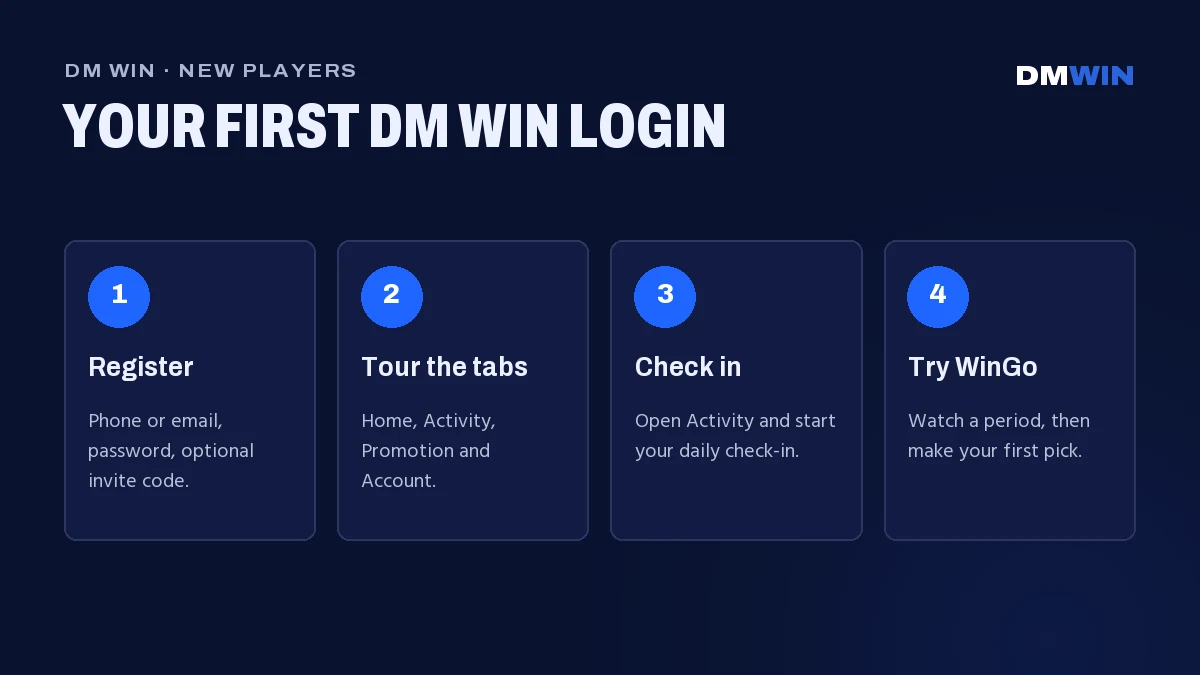
We built DM Win so your first login can find everything from one home screen. Follow the steps below in order and you will know your way around before your first game ends.
Minute 1: Create Your DM Win New Account
If you have not signed up yet, start here. You can register with a phone number or an email address.
- Go to the official DM Win website and tap Register.
- Choose phone or email. For phone, keep +91 India selected and enter your 10-digit number.
- Set a password and type it again in Confirm password.
- Add an invite code if a friend gave you one, or leave it empty.
- Tick I have read and agree [Privacy Agreement] and tap Register.
Choose a password of at least 8 characters with letters and numbers, and remember whether you used your phone or your email. You will use the same method for your DM Win first login and every visit after it.
Your DM Win First Login
After registering, you are logged in automatically. The next time you visit, tap Log in, pick the Phone number or Email tab you registered with, enter your password and tap Log in. On your own phone, tick Remember password so your DM Win first login is also your last long one.
While you are still in your DM Win first login, tap Add to Desktop on our platform home screen. It puts a DM Win icon on your phone’s home screen, so you can open our platform with one tap, with nothing to download.
Keep your password private. Our team will never ask for it. If you ever forget it, tap Forgot password? on the login screen and our customer service will help you set a new one.
Minutes 2–3: A Tour of the Bottom Tabs
Five tabs run along the bottom of the screen. Every feature on our platform lives under one of them.
- Home: the game categories (Lottery, Original, Hot Slots, Slots, Fishing, Casino, Sports and PVC), Recommended Games and Basic Tools.
- Activity: all our running promotions, including the daily check-in, VIP Journey and Gifts for redemption codes.
- Centre button: the new-player offer, in the middle of the bar.
- Promotion: your personal invite code and your team.
- Account: your history, settings and 24/7 customer service.
Tapping each tab once is the best use of your DM Win first login. It takes under a minute and you will never have to hunt for anything again.
Minutes 4–5: Your New-Player Offer and Daily Check-In
The new-player offer
Tap the button in the middle of the bottom bar to see our new-player offer. What it includes and any time limit are shown on the offer screen. Read the conditions on the screen before you claim.
Start your daily check-in streak
Open Activity and find the Daily Check-In card. Check in during your DM Win first login to start your streak, then come back on consecutive days to keep it going. The details and conditions are shown on the check-in card in the Activity tab. You can see how check-in fits with VIP levels in our DM Win VIP Journey.
Minutes 6–8: Try Your First Game
We recommend WinGo as the first game to try after your DM Win first login. It is our most popular lottery game and the easiest to learn. Tap Lottery on the Home tab, then WinGo.
- Each round is called a period and has its own countdown. The 30-second mode is the fastest.
- Pick a colour (Green, Red or Violet), a number from 0 to 9, or Big (5–9) or Small (0–4).
- Make your pick before the countdown ends, then watch the result.
Before you play, watch two or three periods without joining. You will see how fast the rounds move and where the results history sits. Results are random every period, so no pattern can predict the next one. Our full WinGo rules explain every option with the number and colour chart.
Minutes 9–10: Beginner’s Guide and Your Time Limit
Read the Beginner’s Guide
On the Home tab, scroll down to Basic Tools. You will find Language, Announcement, 24/7 Customer service, Beginner’s Guide and About us. The Beginner’s Guide is our own walkthrough of the platform, and Announcements is where we post official news and gift codes. Both are worth a look in the first week after your DM Win first login.
Set a time limit before you play more
Decide how long you want to play today and stick to it, whatever the results. Take breaks between sessions, choose slower game modes if fast rounds feel rushed, and stop when your time is up. DM Win is open to adults aged 18 and over.
New player tip. Read the rules on each Activity card before you take part. Each one shows how it works and any conditions that apply.
DM Win First-Login Checklist
Use this checklist after your DM Win first login to make sure your DM Win new account is fully set up.
| Step | Where | Done when |
|---|---|---|
| Register | Register button on our website | You are logged in automatically |
| Remember password | Login screen | Ticked on your own phone only |
| Add to home screen | Add to Desktop on platform home screen | DM Win icon on your phone |
| Explore the tabs | Bottom bar | You have opened all five tabs |
| New-player offer | Button in the middle of the bottom bar | Offer conditions read and claimed |
| Daily check-in | Activity → Daily Check-In | Day 1 of your streak recorded |
| First game | Home → Lottery → WinGo | You have watched and played a period |
| Beginner’s Guide | Home → Basic Tools | Read through once |
| Time limit | Your own plan | Daily playing time decided |
Want to see everything else we offer, from Aviator to live casino? Head back to the DM Win login page on our homepage.
Have an invite code from a friend? Here’s how DM Win invite codes work.
Ready to explore beyond the lottery? Browse the full DM Win games list to see every category we offer.
DM Win First Login FAQ
What should I do right after my DM Win first login?
Tick Remember password on your own phone, tap Add to Desktop, explore the five bottom tabs, check the new-player offer in the middle of the bottom bar and check in on the Activity tab.
Can I register a DM Win new account with email instead of a phone number?
Yes. Choose email on the registration screen. From your DM Win first login onwards, always use the Email tab when you log in.
Do I need an invite code to register?
No. The invite code is optional. If a friend gave you one, enter it during registration to join their team.
Which game should a beginner try first?
WinGo. Choose a colour, a number or Big/Small before the countdown ends. Watch a few periods first and take it slowly while you learn.
Where is the Beginner’s Guide?
On the Home tab under Basic Tools, next to Language, Announcement, 24/7 Customer service and About us.
How do I get help as a new player?
Open Account and choose 24/7 customer service, or use Customer service in Basic Tools on the Home tab. Our team is available around the clock.